Friday, February 12, 2016

Chess Skills: Life Lessons

Chess is a fun game. And I've seen the benefits of the game produce great results for high school students. Benefits such as improved concentration, problem-solving, and self-control.

Since joining chess.com and regularly playing staff and students at work, I've been thinking about the benefits of chess; some of which are mentioned in Josh Waitzkin's Academy from Chessmaster 10th Edition.

I'm no expert (in life or chess), but here are some lessons I've gleaned:
  1. Look for a good move, look for a better move, look for the best move
    • Chess example 61430328: 10. Bg5 attacks black Queen on d8, and threatens N fork on c7 and Q+ on f7. Then 14. Nf6+ could have also been 14. Nc7+; which was the original threat, but I hoped to use the N to clear a way for the Q to attack.
    • Applicable when making life decisions; always consider your options, and seek wisdom and advice; take some time to consider the issue from a variety of perspectives, and make the best decision with the information you have.
  2. See the whole board
    • Chess example 51448389: 24. gxh4 is a bad move, clearing the g file for the black rooks to attack my king. While concentrating on the pawn count I wasn't thinking about a defensive structure.
    • Don't "miss the forest for the trees"; sometimes I focus so much on one problem that I don't see an alternate solution, or miss another pending problem. I find it good to take a step back ("sleep on it") and approach the problem anew with a fresh mind.
  3. Control the centre
    • Chess example 60848416: The first 14 moves are primarily about controlling the centre of the board (d4-5; e4-5), and positioning pieces to attack the castled kings.
    • In life this is about maintaining balanced self-control. Sometimes there are side problems which can distract from your primary issues and goals; but by maintaining a perspective of what's really important (your centre), things are more likely to work out in your favour.
  4. Make each move count (aka develop your pieces)
    • Chess example 56087480: The first 6 moves begin to develop Ns and Bs into the centre of the board. If possible you want to develop your pieces; each move honing your attack and strengthening your defense. A loss of tempo can result in an awkward situation.
    • Make each day count: meet someone new, go somewhere new, learn something new. Look for patterns, and apply what you learn. Explore knowledge, and gain wisdom; take advantage of new situations and expand your mind and skills.
  5. Own your blunders ...
    • Chess example 62770100: After winning the first tournament match against this opponent I became over-confident and strutted the Queen out early. She was dead by the fifth move.
    • ... and learn from your mistakes. It's OK to fail, to make mistakes. Remember those experiences and apply them to the next similar situation you encounter. 
  6. Cost Benefit Analysis
    • Chess example 61020202: We both made blunders in this game, and I lose a B for free at 15. Qxa2. But 17. ... Nf4 helps set up the Q for a back-line trap with R.
    • One good decision can make the difference when the odds are against you.
And, as a former manager of a successful school chess team, I would add:
  1. Play with Integrity; Resign with Dignity
    • Chess example 56900152: After 26. ... bxc4 it turns into a pawn war. I lose tempo and black promotes to a Q. Once my pieces are captured it's time to admit defeat and gracefully resign. The greatest example of this in chess I know of is Fischer vs Spassky (1972 Worlds Game 6) where a stunned Spassky applauds Fischer's victory.
    • Play according to your life principles, and accept the things you cannot change.

Monday, January 27, 2014

Smudge Attack: Residual Android Security

wikimedia.org
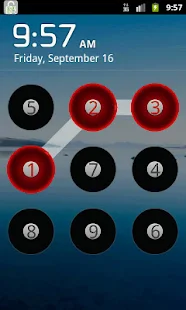
One problem with using pattern-lock to secure an Android device is that fingerprint residue on the screen can be used by an attacker to guess the pattern (AKA smudge attack).

So a really good idea would be for the unlock pattern to be different each time. By differentiating the matrix points as colours, numbers, or a mixture of other objects, the user needs to remember the sequence of points, and the pattern can be randomly created as required. (One interesting side-affect of the random matrix is that the pattern is device orientation independent, since it only depends on the order in which you join the dots.)

Discussing this with some work colleagues, they mentioned similar concepts implemented in door security panels, and other desktop software, but no mention of an Android security app. So I thought I might be onto something.

Requirements

For the app to be useful I'd want three things before it could replace my current (default) lock screen app:

  1. App locks the Android device on user action (timer or event), including internal storage
  2. At user unlock request display a randomly generated pattern
  3. If pattern is correct, unlock the device, else device remains locked

Sounds simple, but as of yet, I can't find an app that meets all three points. There are a couple that seem close:

Orbie Lock Screen

Orbie Lock Screen

This is a free Android app, which looked promising, but didn't actually lock the device's internal storage.

  • The Good: Free, random unlock patterns; default matrix points are colours, but these can be upgraded to include sets of numbers, flags etc.; space for Owner Information
  • The Ugly: Kind of looks like a 1980s Japanese game show, no clock format customisation
  • The Bad:
    • It doesn't lock the device; sure it looks locked, but plug it into a computer with a USB cable, and the device's internal storage is wide open
    • The lock screen also leaks notification information; if you swipe down on the lock screen you can temporarily see the phone's notifications
    • Also, since the app takes over for the default Launcher, double-tap of the Home button does not function correctly, and some apps seem slow to load

Number Track Lock

Number Track Lock

Since I now knew what to look for, I specifically downloaded this AU$3.99 app with the idea of checking it out, and cancelling within the 15 minute refund period if it wasn't satisfactory. Once again, it seemed to work well, but did not lock the device's internal storage.

  • The Good: Looks stylish, and works very smoothly; space for Owner Information
  • The Ugly: No clock format customisation
  • The Bad:
    • Once again the app does not lock the internal storage, an attacker can access the storage contents by simply connecting with a USB cable
    • The lock screen also leaks notification information; when you swipe down, all notifications appear indefinitely as if the device was not locked at all
    • Also, in the 15 minutes that I used the app, every time I unlocked, it always took me to the Number Track Lock options screen

Summary

Although they both seem to have the right idea on preventing smudge attacks, neither of them locked the device internal storage.

I couldn't find any other apps that attempted to prevent smudge attacks. So the best solution at the moment is to install one of these (Orbie Lock Screen is free and works OK), AND keep the default security on as well (contrary to the instructions provided with both Orbie Lock Screen and Number Track Lock). This means swiping two patterns in order to unlock the device, which is acceptable (until something better comes along).

So:
  1. Do you know of a good Android lock screen that uses random patterns and actually works?
  2. If not, can you build one? (I only ask for 10% of sales :-)
  3. If not, are you willing to be a tester if I ever get around to learning how to build Android apps?

Update: 18-Feb-2014

I wish I had a happy update, but unfortunately things are worse than outlined above. I've continued to use Orbie with the Default pattern-lock; i.e. requiring two swipe patterns to unlock my Nexus 4. However, Orbie is not very stable, and can sometimes cause launcher lag.

The worst part is that when the phone is rebooted,it takes several seconds before Orbie to load. Without the Default pattern-lock the phone is wide open. The skill required to circumvent Orbie is "Reboot phone".

So, until pattern-lock is updated in the OS to include random patterns, be sure to include the Default lock as well. Sure it requires two unlocks, but at least you minimise smudge attack.

Monday, December 23, 2013

Powershell: FTP Module

I've been learning Windows Powershell over the past year, and developing scripts for scheduled tasks to perform administrative functions. One of the tasks requires data retrieval from an FTP server, waits for the data to be processed, and then puts the results back to the FTP server.

Lot's of FTP functions have been written and are freely available, but I've found Michal Gajda's PSFTP client module the easiest and most efficient method. It has functions to set multiple connections, and list, get, put, and remove files and folders.

Import-Module

The PSFTP module is not native to Powershell. To use the module, download and install, then import to access it's functions and perform FTP processes.
  1. Download from http://gallery.technet.microsoft.com/scriptcenter/PowerShell-FTP-Client-db6fe0cb
  2. Extract the module to your PS Module folder (found at $env:PSModulePath)
  3. Import-Module using Import-Module PSFTP

Local Variables

Now for the administrative task I was working on. Some local variables are declared for use throughout the script:
$ftp_server = "ftp://example.server.com"
$ftp_path = "$ftp_server/folder1/subfolder2"
$local = "\\localserver\sharedfolder1\subfolder2\"
$local_in = Join-Path $local "In"
$local_out = Join-Path $local "Out"
$session = "my_ftp_session"

Credentials

The connection credentials should not be stored in clear-text, but loaded from a SecureString file (which has been created using the appropriate account on the appropriate server). To establish the credentials:
# set up credentials object
$username = "username"
$password = Get-Content "pscredentials_$username.txt" | 
ConvertTo-SecureString
$cred = New-Object `
-TypeName System.Management.Automation.PSCredential `
-ArgumentList $username, $password

Get Items

To input the files from FTP to local folder:
# establish connection
# get *.REQ files
# copy *.REQ files to local In folder
# remove *.REQ files from FTP server
Set-FTPConnection -Server $ftp_server -Credentials $cred `
-Session $session -KeepAlive -UseBinary
Get-FTPChildItem -Path $ftp_path -Filter *.REQ -Session $session | 
% {
$ftp_file = "$ftp_path/$($_.Name)" # determine item fullname Get-FTPItem -Path $ftp_file -LocalPath $local_in ` -Session $session -Overwrite Remove-FTPItem -Path $ftp_file -Session $session
}

Put Items

After the data arrives at the local In folder it is processed by a separate application, which returns output to the local Out folder. It can then be put to the FTP server with:
# get all files in local Out folder
# put all files to FTP server
Get-ChildItem -Path $local_out |
% {
$ftp_file = "$ftp_path/$($_.Name)" # determine item fullname Add-FTPItem -Path $ftp_file -LocalPath $_.FullName -Session $session
}

Notes

  1. The Get and Put actions have been performed within foreach loops ( % {} ) for logging purposes, such that action results are recorded to a text file for later reference. It would be more efficient to pipe the ChildItem results directly, but logging is important for historical tracing and action confirmation.
  2. The code lines could be shorter with the use of aliases, for example, by replacing Get-ChildItem with ls, and Copy-Item with cp. I don't use aliases (except foreach loops) for a couple of reasons:
    • using aliases doesn't make code production faster (due to Tab completion)
    • using full commands makes code more readable

Powershell is a great tool for Windows administration. I hope to continue learning thanks to the Scripting Guy, and shared script resources. How have you used Powershell?

Saturday, August 24, 2013

Vote Compass: Direct Democracy and WikiLaws

Australia will hold a federal election on Sat 07-Sep-2013. Until then political parties promise what they will do if granted power. The policies and promises come as a package; all from Party A or all from Party B (or Party C). But with modern information and communication technology every voter could have input on every policy; rather than the collective package. This would require replacing representative democracy with direct democracy.

Direct Democracy

The ABC (Australia's national public broadcaster) is currently polling the populace via Vote Compass. To date 887,998 results have been submitted; more than 5% of enrolled voters. In this online poll people can express their views on a number of policies and examine where they stand in the Australian political landscape.

Extending this idea further, the online poll could become THE election. Policies could be voted on directly by all voters throughout the year as required. This would eliminate the need for elected representatives. (Similar to Democratising Football.)

The following diagrams demonstrate the different policy outcomes between representative and direct democracy for the same number of voters. Red, green, and blue represent different political persuasions. The type of democracy employed influences the power of each persuasion.
Without representatives voters do not need to decide between packages of policies, but can vote on each policy independently. And direct democracy gives each vote equal value. An entire layer of government could be removed, and the technology exists today to compensate for it.

So how would laws be written and passed?

WikiLaws

WikiLaws
Laws are basically a collection of documents which are displayed, evaluated, edited, accepted, and reviewed. A wiki is an excellent method for compiling, editing, and displaying documents. Actually, laws can be considered as a collection of instructions (actions/consequences), and could follow a software development model.

Laws could be:
  1. developed in a staging wiki (red)
  2. tested by online discussion (orange)
  3. accepted by general vote (yellow)
  4. and if accepted put into the production wiki (green)
See diagram for data-flow. Click to enlarge.

Someone would still require the authority to enact the laws, and implement policy. The Head of State could continue in this role, with an appropriately selected Executive Council.

Change Management

The technology to implement direct democracy exists. It would need to be ubiquitous, and all voters would need to be informed and aware of how to utilise it.

A much bigger change would the cultural and power shift. Voters would require a knowledge and understanding of the legal framework in which they live, rather than an opinion of a three-word-slogan policy. And they would need to engage enough to consider each policy, evaluate it, and cast a vote.

This amount of change may take generations to implement.

Summary

  1. The use of information and communication technology to implement direct democracy could remove the need for several layers of government.
  2. Implementing direct democracy would require an educated populace, a neutral broadcast media, and a massive shift in power structures.

Thursday, August 22, 2013

Distracting Education: Social Media vs Deep Knowledge

Life, Stan Wayman, 1964
I never got to see The Beatles live in concert, but my Mum did. And apparently they were loud; well, the screaming was - she didn't hear much of the music, but she never forgot the experience.

Today, I can listen to The Beatles or watch a performance. I can join an online group to discuss which Beatle was more talented, or better looking. But I can never see them perform live; never enjoy Beatlemania.

Applying this to education; I believe virtual teaching, and embedded social media, are beneficial in some circumstances, but they are inferior substitutes for discussions in a real-world space with an expert mentor and a group of peers. They may in fact distract from a deep learning experience.

Video Conference and shared Interactive Whiteboard

Virtual Classroom

Just like the difference between watching a concert on TV and actually attending the concert, the emotional and sensory difference of watching a lecture online and actually being in the room may be measurable.

There are certain circumstances where virtual is the best you can get. For example taking a virtual excursion through the Powerhouse Museum, and asking the curator about the Enigma machine as he describes it's purpose and function. Much more viable than loading the class on a plane!

But as a learning experience I would argue that it's more memorable and valuable to actually be in the Museum, speaking face-to-face with the curator, and seeing the Enigma in real-space.

After teaching an HSC course via a virtual classroom for two years, virtual may be the best-effort when circumstances prevent real-world interaction; but when possible, real-world experience provides better sensory and memory learning.

http://www.laurenmacewen.com/wp-content/uploads/2012/11/ur-First-blol.jpeg
laurenmacewen.com/category/socialmedia/

Social media

My understanding of the purpose of social media in education is to improve student engagement; to promote shared experiences. I have seen how shared experiences such as in-class debates, performances, brainstorming sessions, and group projects have helped students explore personal qualities in a safe environment which they may have never attempted otherwise.

I've run classroom blogs and forums, and these can engage students (particularly the quiet/shy); but I think a teacher understands the needs of the class far better via direct contact; when you can "see the whites of their eyes".

In general, the "social" classroom (particularly for high-school students), is less about engagement of ideas, and more about discussion of things (e.g. cars), or people (e.g. celebrities).

And, due to the Dunning-Kruger effect, students can not be expected to evaluate their own learning needs, or that of their peers. Consequently, they are unlikely to independently commit time and resources in order to focus on the details and conceptual applications of a new idea; and therefore never acquire deep knowledge or understanding.

In fact, social media may inhibit or distract from real discussions about the core concepts.

http://us.123rf.com/400wm/400/400/rbhavana/rbhavana1012/rbhavana101200545/8368475-neuron-in-isolated-background.jpg
Neuroplasticity

Deep Knowledge

Having an expert mentor to guide you through a field of study is essential.

Deep knowledge and understanding in any subject requires focused time and energy:
  1. to establish links to previous knowledge
  2. to explain, comprehend, and reinforce concepts
  3. to examine conceptual application in familiar and unfamiliar settings

The expert mentor can guide students through the concepts, and peers may contribute additional linking material, but if the social media conversation does not contribute to the depth of knowledge, it might distract and/or detract from the train of thought, drawing focus away from the subject, and disengaging the neural pathways that are required for deep knowledge.

Summary

I believe the best learning environment is with an expert mentor (and maybe some curious peers). Students can interact in real-time, grow as people, and grow in knowledge and understanding, without the filter and delay of intermediary technology. Virtual classrooms and social media are great substitutes if you can't engage in real-world activities due to distance or other circumstances; but they are only substitutes.

Online learning, virtual classrooms, and social media might be best-effort pedagogy, but not best-practice pedagogy. There's nothing like seeing the band perform live.

Saturday, July 13, 2013

PRISM: Anti-Trust, Chrome and Tor, and Media Avoidance

Sneakers (1992) is one of my fav movies. In it Robert Redford leads an ethical hack team (played by Sidney Poitier, David Strathairn, Dan Aykroyd, and River Phoenix) down a rabbit hole of cryptography, government espionage, and too many secrets. Ever since, I've always assumed there is state-sponsored network monitoring, especially after the FBI implemented Carnivore in 1997, and ECHELON was reported in 2001.

On 06-Jun-2013 news broke of state-sponsored surveillance known as PRISM, which reportedly utilises corporate collected data to monitor customer online activities and communications.

+Steve Gibson explained PRISM as an industrial-scale implementation of big-data (Security Now #408), and TWIET #46 discussed the inherent lack of trust in government. It is apparent that the state believes it's citizens are guilty unless proven data-less.

The issue isn't whether or not secret state surveillance is happening. The issue is, why is it secret at all? And how will the captured data be stored and used?

Anti-Trust

Supporters of state-sponsored surveillance argue "If you're not doing anything wrong, you have nothing to hide." Unfortunately this reasoning is not applied to PRISM itself; if it's so good, why was it secret?

An intelligence official released a declassified document on 15-Jun-2013 to "show Americans the value of the program" according to AP. However the program had previously been too good for public recognition.

During times of war, civil mail has been intercepted and even censored. In those cases, the public was notified that their communications  had been observed by a state-sponsored agency. The state looked at (and sometimes removed) data, but everybody knew, and understood it was for the greater good of the nation.

PRISM looks at far more than mail meta-data, but currently the public (and the senate) is not permitted to know about it.

Sheriff Analogy

Let's devolve the technology and consider a real-world analogy.

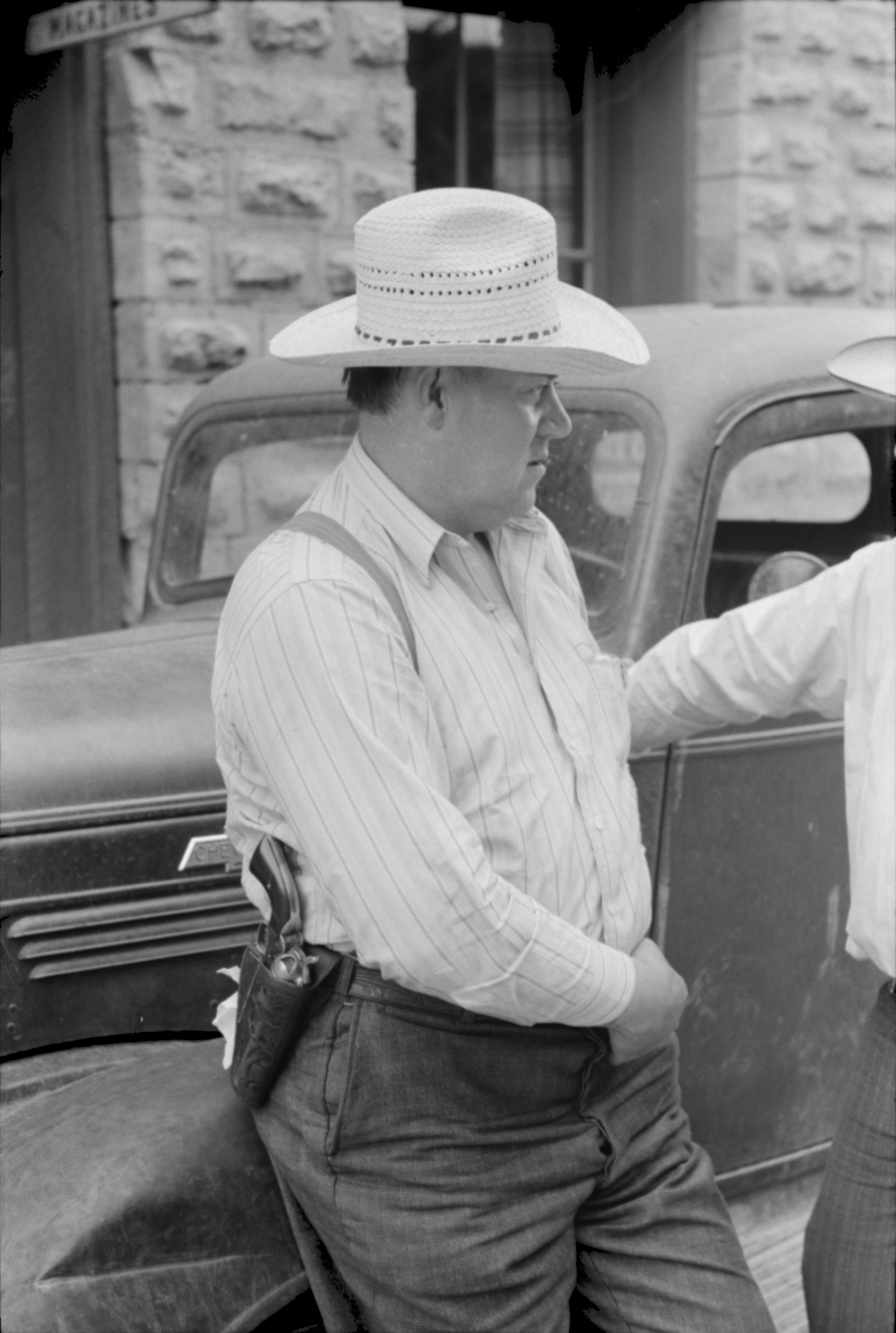
Imagine you live in a small rural town, where everyone knows everyone else, and the Sheriff  Alice cares for and looks after the citizens. While sitting on her porch she watches over Main Street, and notes when something seems out-of-place. With this knowledge she solves and prevents crime.

Unfortunately Sheriff Alice can't watch every street at once, so she gets Deputy Bob and Dylan on patrol, and they take note of everything they see. They report their observances to Sheriff Alice, and prevent crime.

The deputies also record and/or read the mail as it passes through the towns mail sorting centre. This helps them determine who is talking to whom, and what the topic of conversation is.

Unfortunately when criminal Eve sees the deputies, she doesn't commit crime, and she sends her mail in a unknown language. So the Sheriff appoints his deputies as undercover agents, to observe while concealed, and interpret the unknown language. Now they're getting better at preventing crime. Especially when they can keep all of their notes for an unlimited length of time.

So far, all of the deputies notes are of events occurring on public streets in plain view, and all of the mail is passing through a public service.

As far as we know PRISM is only capturing public digital traffic meta-data; looking for communication links and trends. So why is it so secret if it's doing nothing wrong?

What happens to the 5 zettabytes of captured data? If Citizen Carol decides to run for Mayor, and Sheriff Alice doesn't like the Carol (or the incumbent Mayor tells Alice not to like Carol), the deputies can troll through year's worth of historical notes of Carol's actions, often without context, with the purpose of smearing her public-image, or persuading Carol to withdraw from the race.

The surveillance program becomes a mechanism to maintain power with the incumbent powerful. Particularly useful if you wish to dictate policy over a small rural town.

Chrome and Tor

How To: Google Chrome and Tor was published on 08-Jan-2013, primarily after a query from a friend. It outlines how to use Tor to anonymise Google Chrome browsing. This would impede meta-data capture and big-data analysis of web-traffic, because the traffic would appear as originating from the Tor cloud, rather than a personal IP address. However, Tor only anonymises traffic, it does not encrypt it once it's outside the Tor cloud.

Pageviews increased around the time of PRISM disclosure on 06-Jun-2013.


Pageviews jump up in May, before the disclosure (I'm not really sure why). The traffic in May and June is almost exclusively new visitors (91%), spending an average of 3:30 on the post.

For a comprehensive list of PRISM prevention technology, including web-traffic encryption, see PRISM-BREAK.

Media Avoidance

Mainstream media has been focusing primarily on the messenger, and not the message. There are daily updates of the whereabouts of the  leaker, and opinions of whether he is a traitor or patriot. Not much attention has been paid to the PRISM program itself.

This could be because of confusion and misunderstanding of what PRISM is, how it works,  future ramifications, and what it implies about state-policy. As with most mainstream reporting, whether discussing politics, finance, pandas, or motor vehicle accidents,  if it can't be told in 30 seconds, it can't be told.

Media avoidance could also be considered a trust issue; between news producers and the viewing/reading public. Even if media executives understood the security and privacy issues of PRISM, maybe they don't trust their audience to comprehend (or care), and so they choose not to try to discuss so as not to confuse. Unfortunately the lowest-common-denominator wins, and the dumbening continues.

Conclusion

Please let me know what you think.

  • Do you anonymise or encrypt your web-traffic?
  • Should the media be explaining this better to the public?
  • Have you seen Sneakers?

Update

14-Jul-2013

Cameron Murphy (President of NSW Council Of Civil Liberties) spoke on ABC News24 at 13-Jul-2013 10:10AM about similar issues raised by Telstra surveillance. 

Tuesday, January 8, 2013

How To: Google Chrome and Tor

Tor (The Onion Router) is free software and an open network intended to enable online anonymity. The default browser bundle is the ESR version of Mozilla Firefox, which is good for privacy, but restricts functionality.

Security expert +Steve Gibson describes the benefits and structure of Tor in Security Now 70. The official Overview also outlines Why We Need Tor, and How It Works. And Wikipeida has a good summary or it's history, weaknesses, and legal issues.

The Tor Project strongly encourages the use of the Tor Browser Bundle instead of configuring your own browser. But, if you really want to use Chrome the following steps should help.
  1. Installation
    1. Follow standard procedure to install Tor
    2. Follow standard procedure to install Google Chrome (if you haven't installed already)
  2. Setup Tor
    1. Find the Vidalia application inside program folder Tor Browser / App
    2. Create a desktop or taskbar shortcut for the application (so you can start it easily or on startup; Vidalia is the Tor client GUI)
    3. Start Vidalia and ensure it can connect to the Tor network 
  3. Setup Chrome
    1. Start Chrome and add the Proxy SwitchySharp extension (or similar Proxy Switching extension; this will allow you to easily enable/disable Tor proxy)
    2. click to enlarge

    3. Go to Proxy SwitchySharp Options and setup a Tor proxy profile using:
      • Note: this is where this post differs from some others. You can confirm the settings required by reading Tor's configuration documentation, or by checking either Vidalia (Advanced Settings), or the Tor Browser (Firefox ESR) proxy settings.
  4. Operation
    1. Start Vidalia (using your shortcut from Step 2b)
    2. Start Chrome and enable your Tor Proxy profile (and possibly go Incognito)
    3. Check that Google Chrome is using Tor: https://check.torproject.org/

    4. Browse with anonymity (just a bit slower)
If you appreciate or benefit from The Tor Project then maybe consider volunteering or donating. :-)

ADDENDUM

You can configure your Tor client to select which nodes it uses to enter and exit the Tor network. This is useful if you want your IP address to appear to be from a particular country; enabling you to stream content which is restricted to (or excluded from) certain locations. An outline of this configuration process can be found at the official Tor Project FAQ, or for more detail search for "tor exit country".

Wednesday, January 2, 2013

Abrv: The Shortening

Old-school text-messaging led to the abbreviation of language. 4 eg u can read this :-)

But some common technology terminology is still spoken in long-form. And when mainstream media highlight a website, they sometimes use a lot of syllables. For example; telling folks to link to this website would sound like:
  • h-t-t-p-co-lon-for-ward-slash-for-ward-slash-dou-ble-u-dou-ble-u-dou-ble-u-dou-ble-u-dot-blog-ger-dot-com
29 syllables; most of them protocol; only 4 of them (14%) are site specific.

Proposal

So, I propose a verbal shortening for some common web words:
  • http = hittip
  • www = dubtrip
  • foward-slash = frash
Audibly this website then becomes:
  • hit-tip-co-lon-frash-frash-dub-trip-dot-blog-ger-dot-com
13 syllables; halving the spoken wordage.

Other tech terms could also be shortened:
  • back-slash = blash
  • hash-tag = tash
  • IPv4 = IP4 (we don't refer to Windows v8 or Mac iOS vX)
  • IPv6 = IP6
Every syllable counts! (Save time = save energy)

Thumbs Up

frash and blash are already listed in Urban Dictionary; but I've added these technology terms as alternate meanings. Feel free to give them thumbs up (no login required).

Monday, December 24, 2012

Virtual Reality vs Real Virtuality: The Virtual Visitor Information Centre

http://www.echonews.com.au/news/art-and-environment-captured-in-rainforest/1688343/
The Lismore Visitor Information Centre (VIC) recently revamped their indoor model rainforest walk into a vibrant, interactive display, featuring murals.

I'm calling this Real Virtuality (RV). Real in that it's a physical installation; Virtual in that it's emulating a rainforest. (Note: Wikipedia uses the term differently.)

To enjoy the RV experience though visitors need to visit the Visitor Information Centre. This implies the visitor is already physically in the area, and they have to take time out of their visit to find out what to do during their visit. Normally you would not expect the purpose of a visit to be checking out the local Visitor information Centre; rather to walk through a real rainforest.

Instead of spending $120,000 to refurbish an RV, let's consider how this could be used to develop a Virtual Reality (VR) experience. This could include:
  • Enriching Google Maps with local knowledge
  • Creating StreetView panoramas into the local rainforests
  • Adding web-mapping interactive content, such as historical or site-specific photos and local stories
This might've all been possible for less than $120,000, and encouraged an open-knowledge community-approach to tourism. Plus it could benefit the local population and students wherever they are, and possibly encourage them to access the real rainforest.

Advantages:

  1. Openness - encourage local community to contribute and update content
  2. Reachability - available to all visitors with an internet connection (including people in the VIC)
  3. Cost - low on-going hosting fees (depending on services used; need to consider cost of authorised content changing)
  4. Updatability - content can be easily modified

Disadvantages:

  1. Copyright and privacy issues (of uploaded panoramas)
  2. Limited viewing space (user-dependent mobile devices; but they can always ask for a real map at the VIC where large screen interactive displays are installed)

Maybe this could be a future direction. What would you want in a virtual Visitor Information Centre?

Saturday, November 17, 2012

Change Management: The teacher becomes the student

http://www.fotopedia.com/items/flickr-2572841582
After teaching high school students about computer hardware and programming languages for 20 years I am now practicing what I preached!

This week I started working as a Technical Support Officer in the Administrative Systems team of Southern Cross University. I'm learning about managing system environments, modifying and applying upgrades to corporate software, and providing advice and operational support to clients for Corporate Services applications and other related systems.

Conceptually I understand what is happening, but learning the nitty-gritty details will take time. Fortunately, one of my tasks is to update and develop documentation, so I have time to delve into the details. And to put the theory from the classroom into practice is very exciting! A highlight was a guided tour by one of the Senior IT Admins into the corporate data-centre.

Leaving the high school system has meant a change of environment, and work practice. It has also meant moving from blogED to blogspot; I assume my DEC account will be disabled, and at end-of-year when blogED is archived I will be unable to access the content (and drafts).

Getting content into blogger was not as easy as I expected. Text, image, and video data was fine, but using tables with CSS had specific quirks, requiring some fine-tuning. And tracking down some of the original content for some posts took some time.

In future I'm considering how to incorporate an audio edition (podcast) to blog posts; just need a convenient way to implement RSS. Things will continue to change ...

Thursday, January 12, 2012

Q: To BlogED or Not To BlogED

A: Since 28-Aug-2010 I've been blogging using the service developed by my employer.

I've written about the value of teachers and students using the blogED service to display their work and start conversations, and this has motivated some of my students, and created discussion about appropriate online comments and privacy concerns.

However, for my personal use I've decided to try other providers, and after considering wordpress, my ISP, and some other choices, I'm going with blogger, mainly because it links into Google+.

The catalyst for this change was that the blogED service archives all blogs during the December-January vacation, and unless I have prior written consent from my principal, I can't create or edit any posts.

When I emailed the IT helpdesk about this a senior support analyst advised why this was necessary:

The “No blog creation” option is business decision.   The reason is that during the summer holidays the student rollover process is executed to include the new year students. As the process was completed last week the provisioning for all staff/students/groups to blogED has commenced this week. Until this process is complete, however, the new students/groups won’t be available to the staff to add to blogs.

I understand there are also (legal) privacy issues, where school staff are not allowed to communicate with the students during this school holiday period. We have, however, escalated the issue for you.

Email 11-Jan-2012 9:51AM
name withheld as analyst did not respond to invitation to discuss this issue on corporate micro-blogging service

BlogED must be a complex machine, trying to authenticate staff and students and allow permission rights. So to avoid that hassle, I'll start using blogger.

I guess I'll also transfer old posts here and back-date them. Apologies that I won't be able to republish comments, but I might include them at the bottom of the posts.

Monday, December 12, 2011

Achievements Unlocked: Leveling up

Next year I'll be transferring to another school. With this change I've had cause to pause and consider what I've achieved with my time at my current school; what I've learnt and what I'm proud of. Here's a selection of highlights ...

[Names have been redacted to protect the innocent (and the guilty).]

Teaching and Learning Achievements

Simple Spiderman

Build a basic website to allow an injured soccer player to get class assignments at home
Bonus points for learning javascript in a weekend

Unlocked: Mar 16, 1999 1:59pm

Thanks: Robbie S for breaking a leg; Kevin K for the idea; and Col A for trusting me to play with the school
servers

Projector

Contribute to the QTP 3.1 IPT/SDD Project Work support document
Bonus points for meeting some inspiring teachers

Unlocked: Apr 4, 2001 4:16am

Thanks: Phillip C, Tim G, Steve M, Julie G, Brian S, and John R

Whoops

'Accidentally' motivate students to build a key-logger
Bonus points if they successfully build a working prototype; No points if they use it against you to capture the admin password

Unlocked: Sep 4, 2002 12:36pm*

Thanks: Israel B and Eric L for keeping me on my toes

Lord of the Chips

Maintain a stable classroom environment by ensuring all students follow traditional coding eating habits
Bonus points for justifying the tradition as natural requirements for all good coders
Double bonus points if it's Tuesday

Unlocked: Aug 27, 2006 1:21pm*

Thanks: Luke C, Alex P, and Basil W (and the chip shop down the road)

ProgComp Controller

Promote coding by entering ProgComp several times
Bonus points for making it 'mandatory' for all Software Design and Development students

Unlocked: Jun 16, 2006 3:12pm

Thanks: Josh K, Jay N, and Sam R; Sam C, Basil W, and Robbie M (Jun 15, 2007 3:12pm); Kieran J, Eric L, and Israel B (Jun, 2003*)

Triple Chairs

Catch a student breaking class rules three times (i.e. swearing) and issue the ultimate punishment at the end of lesson of putting in all classroom chairs ... three times (in-out-in-out-in)
Bonus points for students incorporating the word 'Chairs' into their everyday language

Unlocked: Feb 27, 2007 9:57am*

Thanks: Chris C (nuff said)

Let Them Eat Cake

Encourage the bringing and consumption of cake in class
Bonus points for a student attempting to elevate teacher happiness while marking homework
Double bonus points for a student justifying the cake production as part of original content for an online transaction processing system assessment task

Unlocked: Jun 28, 2007 1:27pm

Thanks: Aimie H and Jordan L (Feb 26, 2010 8:41am)

Technology Coordinator Achievements

Help Yourself

Build custom software to remove music and movies from student folders (Trogdor), and shutdown/reboot computers site-wide (netCheat)
Bonus points for engaging students in a hacker war to defeat the dragon

Unlocked: Oct 15, 2003 1:24pm

Thanks: Eric L for putting the cheat in netCheat (Aug 21, 2006 4:10pm) and Sam L and Mel P for building a big Trogdor web-based version as part of their Uni course (May 28, 2007)

Teach me; Pay me

Hire an ex-student as an onsite computer technician immediately after graduation

Unlocked: Feb 4, 2004 9:00am*

Thanks: Eric L (pictured with Kieran J and Israel B)

Security Preach

(aka Right Spin) Hire an onsite computer technician based on his enthusiasm of listening to Security Now
Bonus points for ongoing listening and discussion about technology and security

Unlocked: Dec 3, 2008 11:23am

Special Thanks: Mickey M sharing knowledge, skills, and pizza

Moodle Manic

Jump into Moodle with all your classes, and especially for a cross-site video-conference class
Bonus points for sharing with other teachers and getting them enthused

Unlocked: Feb 2, 2010 12:21pm

Thanks: Anne M, Julie B, and Antony M inspiration and support
Special Thanks: Paul G, Loreta K, Lynn H, Josh W, and Darren B for showing what is possible

Double Supervision

Hire another ex-student as an onsite computer technician immediately after graduation

Unlocked: Dec 22, 2010 10:56pm

Thanks: Dre W for hacking through problems

Unattentive

Meet great people and share great ideas at the 1:1 Unconference
Bonus points for sharing via a showcase and micro-learning session

Unlocked: Jun 20, 2011 2:07pm

Thanks: Ross W for inviting me and covering the costs, and Ben J for organising a great event

Extra-curricular Achievements

Encroacher

Enjoy many years of basketball coaching Bonus points for making it to the regional finals twice (2003, 2010)

Unlocked: May 16, 2003 2:36pm

Thanks: Matt W, James H, Josh S, Joel J, Kiwat K, Mitchell D, Jaquille E, Emma A, Jordan I, Lachlan M, Kirstie S, Shara D for their dedication and captaincy

Special Thanks: Jenny S for organising everything we needed

They Were Champions

Take students to compete at the National Interschool Chess Championships

Bonus points if for one of them it's his first time on an aeroplane

Double bonus points for the students thanking you with a hand-made signed chess board

Unlocked Dec 8, 2007 9:05am

Thanks: Andrew W, Liam M, Kyle H, and Lachlan C

Snow Frog

Build a snow frog while on excursion with Year 11

Bonus points for hitting more than three of them with snowballs during a snowstorm

Double points for attempting to ski; No points for learning to ski in only in one direction

Unlocked: Aug 21, 2008 11:03am

Thanks: Anthony C, Zach B, James H, and Kelly R

Special Thanks: Phil D and Kendall B for inviting me along

Little Drummer Boy

Help senior music performances with percussion and bass

Bonus points for not being able to read music and doing it all by ear

Double bonus points for justifying bringing a new 5-string bass to computer class and practicing for half a lesson

Unlocked: Mar 25, 2009 7:58pm

Thanks: Jacob P, Lucas H, and Alex Van Halen; Anthony P, Taurean W, and many talented singers and muscicians

Special Thanks: Virginia J and Brian W for allowing me to join their talented students over the years

Grandmaster Martyr

Coordinate the school chess team for a decade and NOT have your name on the school Chess Champion trophy

Bonus points for winning the championship and still not putting your name on the trophy

Unlocked: Dec 01, 2010 1:54pm

Thanks: Sam L (2002, 2003, 2004), Robert S (2005), Keaton H (2006), Robbie M (2007), Liam M (2008), Brody T (2009), Calin S (2010), Louis B (2011)

Special Thanks: Robert S for support and help (and getting his name on the trophy)
* Thanks to photo timestamps, emails, and file creation dates, most of these unlock times are accurate. Unfortunately some are only a best guess.

Thanks

Thank you to the many staff and students who have helped me unlock these and other achievements. (If I missed anyone, my apologies; let me know and I'll update this post.)

I look forward to finding and unlocking many more achievements at my new school.

Wednesday, December 7, 2011

blogED: Some Good, Some Bad, and Some Ugly


blogED is a blogging environment developed for NSW government school teachers and students. (You're reading one of the blogs right now!) It is a great concept, with some excellent features, but also some foibles, and some uglies.

Some Good

I fully support and recommend using Department sanctioned software. That way staff and students are familiar with the software and systems from site to site, and resources can be easily shared and centralised.

So as a blogging environment for sharing ideas with colleagues, teaching and learning in the classroom, and distributing information to parents and the community, blogED is a great concept.

One excellent aspect is that it links directly into student portal authentication, and students can easily be grouped to create class blogs, even across multiple sites (if you have a multi-site group). Authorisation is reserved for staff blog owners to check all posts and comments, and the owner of a site can be easily changed if staff move location.

Once a student is added as a blog author it's trivial for them to create a post and then have that authorised and published by their teacher. Then students can share and comment on each others work (and they can consider the copyright and privacy aspects of doing so).

Being able to insert multimedia is great, and these generally format well, and are easy to use.

Some Bad

One of the limitations of blogED is the look. There are currently only 4 themes to choose from, and customising the appearance of the blog for a student or class is not easy.

The graphic at the head of this blog incorporates an image, with a text overlay. I used colour-matching to merge the header graphic of this blog into the base-colour of one of the four themes, but matching it and aligning for the text overlay was not quick or easy.

Hopefully in blogED 2.0 there will be more simple themes, but maybe also some customisation tools to enable students (and staff) to edit the head/foot and, for power-users, modify CSS.

To insert images you can't link to them, you must upload them to blogED. I'm glad we must include copyright information, and attribute the appropriate source, but I don't understand why we must save a copy of it to the blogED server before it can be used. My best guess is so that the blog will continue to show the image, even if the source server is down.

Some Ugly

One of key concerns with blogED is that the formatting you see while writing is NOT the formatting of the published post. What You See Is NOT What You Get (WYSINWYG). That's ugly.

You have the option to preview your post, and you really have to, because while you are editing you don't know how it will look when published. Standard HTML tags like unordered-list are rendered correctly in the inline editor, but not when published. What the?


ABOVE: An unordered-list in the editor (click to enlarge). The editor shows correct indentation of the list, so that the bullet points stand-out.


ABOVE: An unordered-list when published.

There is no indentation and the bullet points to not cleanly separate from the main body of the text. I'm viewing this through Internet Explorer 8 on Windows 7 (using a DER device). (Maybe things appear correctly in Firefox or Chrome, but those browsers are not supported on the DER devices.)

The above picture also highlights the attribution notice displayed for all images. The image can be aligned to the right, but the notice remains at the position where the image was inserted in HTML. Also, HTML image alignment seems to break due to the the call of a javascript function (specifically addCopyrightInfoDivsAfterObject in https://www.det.nsw.edu.au/mediaLibrary/mediabrowser/copyright.js) which adds objects and code to the published post, but not within the editor. This breaks the formatting between the two views of the same code, and can lead to some unexpected and ugly results. (These methods of image alignment are deprecated, and should be upgraded to use styles.)

And inserting an uploaded image is awkward. The editor allows for resolution selection (the size of the published image), but the user is required to make multiple decisions to determine the best view of the image. I think this is incorporated into blogED for the image to be formatted (and desolved) at the server before transmission to the client. This would conserve bandwidth, but can be a headache for the posting author.

I generally post images as "large" and then use the Appearance tab to specify the resolution. Hyperlinking the image to itself then allows readers to enlarge the image:


If you highlight text, the space at the end of the text will also be highlighted, and adding a hyperlink will show the link dribbling off the end. (Notice the hyperlink between "dribbling" and "off the end"). So you need to ensure that the trailing space is not selected before creating the hyperlink.

Bullet-formatting, image uploading and insertion, and WYSINWYG ... all of this means spending twice as much time creating content as expected, half in writing, and half in quirky formatting. That's ugly.

As a case-in-point: the above images were inserted into the editor side-by-side.


Unfortunately, the inclusion of the copyright blurbs breaks that formatting. Possibly we're not expected to use alignment methods, but they are included as part of the editor.

Nutshell

I love the concept of blogED; an inhouse solution which generally works well, and integrates with departmental authorisation, copyright and privacy. The uglies are only publishing and formatting issues, but they could be the straw on the camels back which prevents some staff and students from sharing.

Maybe wordpress was not an option, but maybe it should be. A customised version to link into with the departments authorisation might be a good solution. Hopefully blogED 2.0 is in the works, and some of these deprecated and inconsistent formatting methods will be revamped.

  • If you're a blogED author, what tips and tricks do you use to format content?
  • If you're a blogED developer, and need a beta-tester ... :-)

Monday, December 5, 2011

Ideal Search: Don't Forget to ask "Why?"

http://www.abc.net.au/science/quiz/archive/smiller.htm
Ben Gomes (Google Fellow) posted a video on 28-Nov-2011 entitled: The evolution of search in six minutes.

In it Amit Singhal (Google Fellow) describes his ideal Google (from 5:30). He describes a search engine that returns answers to complex questions such as "what is the best time for me to sow seeds in India given that monsoon was early this year."

Amit doesn't provide a sample response, but it might be something like:

June-24

Providing the answer to a complex question needs to have the option "Why" or "Proof" or "References". If the question is misinterpreted, or the analysis is incorrect, or the response is in an unexpected format, Amit may lose a season of crop.

The sample response imparts knowledge, but it does not impart wisdom or understanding. An option to prove the answer, to question why it is so, to help people understand how that response was selected, might impart  both wisdom and understanding.

In Google's philosophy, they state core principles which guide their actions. Core principle 6 highlights: You can make money without doing evil.

  • Google money comes from ad hits. So here's the paradox. Amit wants to sow seeds. He asks Google (1 page hit). Google gives a response without proof. Amit plants and things grow. He trusts Google.
  • Next year the monsoon is early. Without understanding, Amit may choose to consult Google again (2 page hits). If he has understanding though he may wisely deduce the knowledge himself, which does not result in a use of Google, or the ads they display.

So is it in Google's interest to impart knowledge, but NOT impart wisdom. Is that "doing evil"? I think so. It reminded me of the filter bubble.

This paradox only arises as the complexity of the questions increases, and the interpretation and analysis of data and information frays.

And I think it is resolved by Google telling me the simple answer to a complex question, but then allowing me to choose "Why", or ask for "Proof". Something like:

June-24 Proof

That would increase knowledge, understanding, wisdom, and user confidence. And it might be "doing good".

Wednesday, November 30, 2011

Nominated Transfer: Five Stages of Grief


http://www.geograph.org.uk/photo/1356427
Due to a reduction in student numbers my school will be over-staffed in 2012, and a teacher needs to be relocated to another site. On Friday 11-Nov-2011 I was nominated to transfer.

Five Stages of Grief

I found it interesting to observe my own reactions and how they fit into the Kübler-Ross model of the five stages of grief. The model is based on interviews with more than 500 dying patients, but it can also apply to catastrophic loss (job, income, freedom).

Denial

I feel fine; This can't be happening, not to me.

The principal had informed all the staff that a nominated transfer was forth-coming on Mon 07-Nov-2011. Later that afternoon he privately informed me that I may be nominated. There was a brief shock; a few seconds of "this isn't real."

But I had 5 days to consider the eventuality of the "loss". I trusted that the principal would meet the needs of the school and take everything he needed to into consideration. So when he informed me that I would be nominated there was no denying it.

Anger

Why me? It's not fair!; How can this happen to me?; Who is to blame?

I think because of the 5 days notice the anger was subtle. Trying to keep a positive and professional outlook; there may have also been some emotional suppression.

Unfortunately, my Year 8 class felt some misdirected anger today (Monday). I apologised to them for my lack of patience and energy during that lesson.

Bargaining

I'll do anything for a few more years; I will give my life savings if ...

While discussing the nomination the deputy-principal and principal described how they had gone through the numbers, and considered alternative solutions. Their sincerity and honesty was apparent, so there's no wriggle room for bargaining.

Depression

I'm so sad, why bother with anything?

Depression came in waves over the first weekend, mixing with denial, anger, and acceptance. It seems that the stages are not mutually exclusive, and that I can quickly progress or regress through them.

Monday morning: coming back to the workplace seemed difficult. Feelings of rejection, disappointment, anxiety. It seemed a bit of emotional overkill for a simple job relocation. I'm even feeling distressed about being distressed ("I should have better control than this!")

Ten years ago I chose to move to this location, and had no concerns about the school, the position, the subjects, or the students.

Now I have a family and home here, the risks of the transfer seem greater and the rewards seem negligible. Also, I am not in control of this decision, although I can nominate some preferred schools to transfer to. If no suitable school is found nearby I might be placed in a mobile permanent position in my current school.

I also wonder if being older now, I seek stability rather than excitment; predictability rather than spontaneity. This would fit in with the article about Teenage Brains that Darcy Moore recently blogged about.

I'm also feeling sad about the loss of investment in people and resources I've made at my current school. The good relationships, and the IT structures and processes that have been implemented. I hope that the next location is as warm and welcoming.

Acceptance

It's going to be okay.

I haven't lost my job, my income, or my freedom. I will only have a change of circumstances - possibly a change of school, possibly a relocation of home and family. The unknown is the point of fear.

I don't think I will have full acceptance until I have more certainty and self-determination.

I'm also starting to consider the affects of leaving my current school. How well will my current classes (especially HSC IPT) adjust to the change? Will the students in the chess club continue to develop and grow (in game-play and life)?

And, I've been more creative in the past few days than in the past year. Maybe I've just been lacking lustre for a while, and these events is jolting my brain back into action; out of a rut.


Perspective

Keeping things in perspective:


  • I haven't been told I'm going to die
  • I haven't lost my job, or income
  • I still have health and family
  • I might be relocated to a new work environment

According to Maslow's hierarchy of needs I'm doing OK. My Physiological , Safety, and Love/Belonging needs are met. But maybe Esteem and Self-Actualisation are lacking.

Hopefully, when the paperwork is done, and I know more about where I am headed, acceptance will come, and the stages will end. There might be new and exciting opportunities, but I'm just a little nervous about looking out the door.

Publicness

A final thought: I have never expressed my thoughts and fears so publicly before. But Jeff Jarvis has highlighted the benefits of publicness; and I've found writing this post good for clarifying and organising my own thoughts and feelings. Maybe it will help someone else too.

Update (30-Nov-2011)

I've been appointed to another local school starting in 2012. It's a change of subject area, but at least it's not a change of house! Acceptance is getting better :-)

Comments

Copied from original post

Deb Hogg says:

14 Nov 2011 at 05:18 PM
Hi Tim Well written... but that's a hard piece to read! The whole number crunching reality of school staffing is appalling - sorry to hear that you are at the pointy end of it. Anger is an appropriate first response but I can already see the hint of adventure and the thrill of "what comes next?" hiding in your post! A change of school is always difficult but you've already had a benefit in the past couple of days - a creativity boost comes in all shapes and sizes! Just hope that some amazing, fabulous opportunity comes your way in all this - new place, new people, new learning, new fun! ...with manageable disruption to your family (they need adventure and fun too!). I have no doubt that it will all turn out to be wonderful! Regards, Deb

Deborah Moore says:

30 Nov 2011 at 03:22 PM
Hi Tim! Don't go on Maang much anymore but I just saw yur post and read your blog.... That would have been a tough time for you and I thank you for your reflections. It was an enlightening post! BUT great news about your new posting... I wish you luck and am sure you will succeed in whatever you do!! Debbie

Vivi Mattiello says:

01 Dec 2011 at 06:31 PM
"There's always a rainbow after the storm" This blog post is so true, been through all those steps myself when my position was cut off unexpectedly (for me). Things like this happen, though that's not really encouraging is it? Take it as a learning experience that will make you better as it might lead you to reassess your identity as a teacher. All the best for 2012!